Dark Mode Website Design: Is It Actually Worth Building for Your Audience?
Dark Mode Website Design: Is It Actually Worth Building for Your Audience? Dark mode is worth building when your visitors...
Read More → A WordPress site can rank on page one and still lose the click, because Google now answers the question above the results. That’s the practical effect of AI Overviews WordPress SEO has to deal with in 2026: ranking still matters, but being the source an AI answer pulls from matters just as much. Most of the work to get there is plain technical and editorial hygiene, done properly on the WordPress setup you already have.
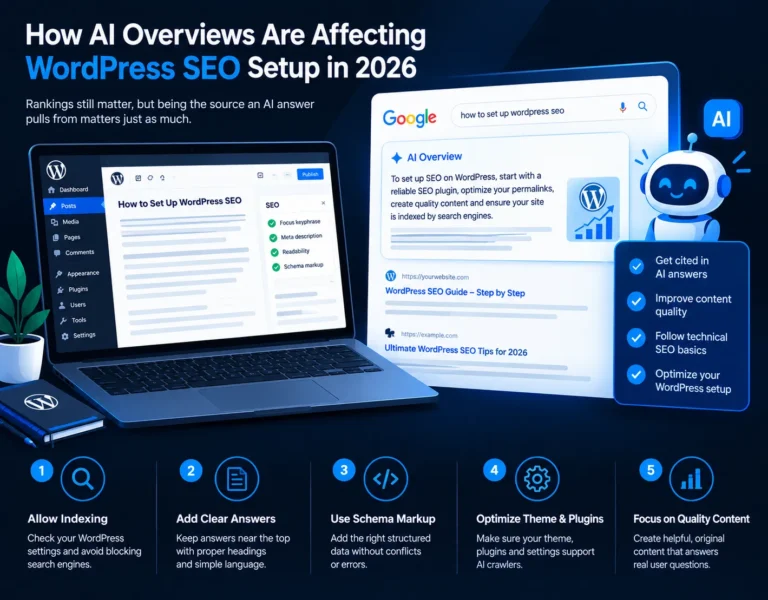
Google’s AI Overviews and AI Mode build a summary from several pages and link to a few of them. Other generative engines, such as ChatGPT search and Perplexity, do something similar with their own sources.
For a site owner, three things shift:
There is no separate “AI Overviews plugin” or secret switch. Google has said its normal Search fundamentals apply, so there’s no extra markup you must add to be eligible. What follows is how those fundamentals play out on WordPress.
This sounds basic, and it’s where WordPress sites quietly fail.
Passage extraction rewards pages that state the answer plainly near the top of each section. On WordPress, that’s an editing habit more than a plugin setting.
Old posts are the cheapest place to start. Take your top fifty URLs from Search Console and see whether each one answers its main query in the first screen. Many don’t, because they were written to hit a word count.
Structured data helps engines understand what a page is, who wrote it and which business is behind it. It doesn’t guarantee a citation, and anyone who promises that is overselling.
What’s worth setting up:
Two WordPress-specific traps are worth checking. First, Yoast, Rank Math, SEOPress, your theme and a page builder can each output schema, and you end up with duplicate or conflicting blocks. Pick one source and disable the rest. Second, markup that doesn’t match the visible page is worse than no markup. If your schema says a page has a review rating and the page shows none, remove it.
On FAQ markup: Google restricted FAQ rich results to a narrow set of sites in 2023, so don’t add FAQ schema expecting expandable results. Keeping FAQs as real, visible questions still helps readers and gives engines clean question-and-answer pairs.
Test with Google’s Rich Results Test and the Schema Markup Validator, and recheck after plugin or theme updates.
AI systems and crawlers read the rendered page, and a heavy WordPress build makes that harder.
If your setup has accumulated years of plugins, this is the moment to audit it. A cleaner build is easier to secure, faster to load and easier for engines to read. This is the kind of work behind our WordPress development services.
Generative engines favor content from identifiable sources with a clear subject focus. You can’t fake this, but you can make it visible:
Be skeptical of advice that centers on llms.txt files or similar new conventions. Major search engines haven’t confirmed using them for ranking or citations, so treat them as optional at best, not a priority.
Impressions can rise while clicks fall, and that doesn’t automatically mean something is wrong. In Search Console, look at impressions, clicks and click-through rate per query and per page, and watch for informational queries where you rank but get few clicks. Those are the pages to restructure or to pair with a stronger next step (a tool, a template, a service page). Also test your key topics directly in Google, ChatGPT and Perplexity from time to time and note whether and how you’re cited. Keep it manual and honest; there’s no reliable single dashboard for this yet.
Priority | What to do |
First | Confirm indexing, snippet settings and crawler access |
Second | Rewrite top pages so the answer comes first |
Third | Clean up schema, one source only, matching visible content |
Fourth | Audit theme, page builder and plugins for bloat and duplication |
Fifth | Strengthen author, business and entity signals |
Ongoing | Review Search Console and spot-check AI citations |
No. AI Overviews draw on pages that are already indexed and eligible for snippets, so standard SEO still sits underneath. What changes is that clear answers and structure matter more.
No plugin can promise that. SEO plugins help with schema, sitemaps and metadata, but citation depends mostly on your content quality and technical health.
No. Schema helps engines understand your page, but it isn’t a ranking or citation guarantee. Treat it as clarity, not a shortcut.
Organization or LocalBusiness, Article or BlogPosting, Person for authors, BreadcrumbList, and Service or Product where the page genuinely supports it.
It’s a business decision. Blocking Google-Extended affects Gemini training use, not Search or AI Overviews. Blocking other AI crawlers may reduce your chances of being cited in those tools, so decide per crawler, not all at once.
It’s the practice of making content easy for AI search tools to understand and cite. In practice it overlaps heavily with good SEO: direct answers, clear structure, credible sources and clean technical setup
This is a common zero-click pattern for informational queries, where the answer is shown on the results page. Check which queries lost clicks and decide whether to restructure those pages or point them toward a clearer next step.
Yes. Speed affects rankings, crawling and user experience, and visitors who do click still leave slow sites. Caching, image optimization and plugin cleanup remain worth doing.
It can if it produces bloated markup or hides key content behind scripts and tabs. Many sites work fine, so test your pages rather than assuming. A lighter template is usually safer.
There’s no complete tool yet. Search your main topics in Google, ChatGPT and Perplexity and note whether your pages appear as sources, then compare that with Search Console trends over time
If you’d like someone to look at your indexing settings, schema output, theme and plugin setup, and show you where it’s holding you back, I’m happy to review it with you. See the details at Sanjeev Kumar Malik’s WordPress and website development services or call 9718604362.