Dark Mode Website Design: Is It Actually Worth Building for Your Audience?
Dark Mode Website Design: Is It Actually Worth Building for Your Audience? Dark mode is worth building when your visitors...
Read More → A shopper in Dubai lands on your store, sees a price in rupees, can’t read the product description, and leaves. You never find out why. A multi currency multi language ecommerce website fixes this by showing each visitor prices in their own currency, content in their own language, and a checkout that feels local. For an Indian brand, that means getting four things right: how prices are shown, how content is translated, how payments are settled, and how search engines find each version of your store.
A multi currency multi language ecommerce website helps Indian brands reach international customers with local pricing and translated content. Building a multi currency ecommerce website requires careful planning of payment gateways, exchange rates and checkout options. A multi language ecommerce website makes shopping easier for customers who prefer browsing in their native language. An international ecommerce website also needs a suitable URL structure and localized SEO. With the right multi currency ecommerce development strategy, businesses can prepare their online stores for different markets.
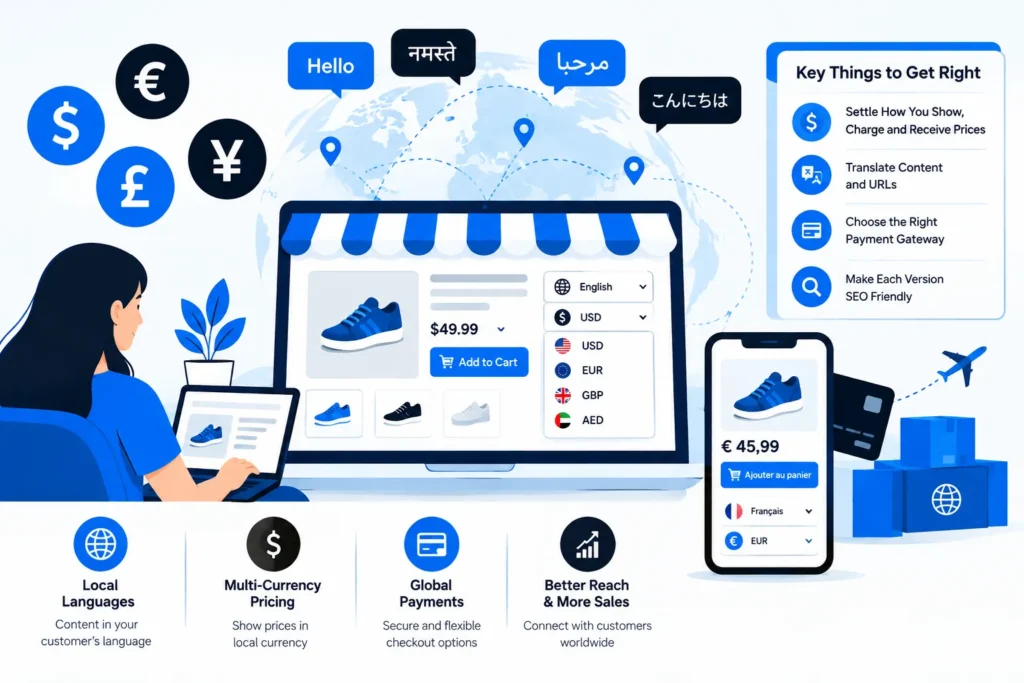
Currency and language look like one feature, but they’re separate systems.
Language is about content: product titles, descriptions, policies, emails, error messages, even the URL slugs. Currency is about money: displayed prices, exchange rates, tax presentation, the amount actually charged, and what lands in your bank account.
A store can be multi-language without being multi-currency. A Hindi and English store selling only within India is a good example, and it’s an underrated use case since many Indian buyers prefer to browse in their own language. The reverse also works: an English-only store selling in USD, GBP and AED. Decide which of the two your business actually needs first. Many brands only need one, at least at launch.
Before comparing platforms, write down which countries you’ll sell to and what you’ll do differently in each. A rough version looks like this:
This list drives every technical choice that follows. Two markets with two currencies is a very different build from fifteen markets. If you’re still choosing a platform, our breakdown of ecommerce website development options covers how the major platforms handle this. Shopify has built-in market and currency tools. WooCommerce usually relies on extensions. A headless setup gives the most control at the highest build cost.
This is where most stores get confused, and where money quietly leaks.
Displaying a price in the visitor’s currency is the easy part. Charging in that currency means your payment gateway has to support it. Settling decides what you receive: rupees in your account, or foreign currency held somewhere first.
There are two common approaches:
Cross-border payments in India are RBI-regulated, so which gateway and which currencies you can use depends on your account setup and business type. Confirm what’s enabled with your gateway and your CA before you promise customers anything. Payment options are also part of localization: cards work broadly, but wallets and local methods matter a lot in some regions. If you need a refresher on the domestic side, see how a good payment gateway integration is set up.
Geo-targeted pricing means showing a country-specific price or currency based on location. It works well when done gently.
Detect the visitor’s country and pre-select a sensible currency, but always let them change it. Never lock a customer into a currency based on IP alone, because VPNs, travellers and NRIs shopping for family back home will all get it wrong. Keep the selector visible in the header or footer, and remember their choice across visits.
Be careful with price differences between countries. Charging more in one market than another is legal in most cases, but shoppers compare, and it can hurt trust. If prices differ, they should differ for a reason customers understand: shipping, taxes, local competition.
Translating a homepage is a weekend job. Translating a whole store is a workflow.
What needs translating:
Machine vs human translation. Machine translation is fine for a first draft of long-tail product descriptions. It’s risky for your homepage, checkout, size guides, and anything legal or health related. A common approach is machine-translate the catalogue, then have a native speaker review the pages that drive revenue.
Layout surprises. German words run long, Arabic and Urdu read right-to-left, and Hindi or Tamil scripts need fonts that render properly and line heights that don’t clip. Build the design system with this in mind, or buttons will break in every language you didn’t test in.
Keep translations in sync. When you change a product price, stock status or description in English, the other versions need to update too. A store where the Hindi page shows a product that’s sold out in English is worse than a single-language store. Good tooling flags untranslated or outdated strings automatically.
A language switcher is easy to get wrong.
A multi-language site can double your search visibility or quietly create duplicate-content problems. What decides which one happens is structure.
URL structure. The usual options are subfolders (/hi/, /ae/), subdomains, or separate country domains. Subfolders are the simplest to maintain and keep authority on one domain, which is why they’re a common default. Separate domains give stronger local signals but multiply the maintenance.
Hreflang tags. These tell Google which version of a page is for which language and region, so the right one appears in the right country. They must be reciprocal, meaning each version points to all the others, and mistakes here are common.
Localise keywords, don’t just translate them. What people search for in Arabic isn’t a word-for-word version of the English query. Research each market’s search terms separately.
Page speed. Extra languages and currency scripts add weight. If the store slows down in a market far from your server, a CDN and good caching matter more than another feature. Our note on speed optimization goes into what to check.
Technology is half of it. Before going live in a new country, check:
Not necessarily. If you sell to English-speaking countries, multi-currency alone may be enough. If you’re serving Indian regional markets in INR, multi-language alone may be enough. Add the second only when data from a specific market shows it would help.
A converter plugin usually only changes the displayed price. The customer may still be charged in INR, with their bank applying its own rate. For real multi-currency checkout, your payment gateway needs to support charging in that currency.
It depends on scale and budget. Shopify has market and currency tools built in, WooCommerce works with translation and currency extensions, and headless builds offer the most flexibility. The right one depends on how many markets you serve and how custom your checkout needs to be.
That depends on your gateway and account setup. Some settle in INR after conversion, others can hold foreign currency. Rules around cross-border payments in India are regulated, so confirm with your gateway provider and CA.
It’s a decent starting point for large catalogues, but review it. Have a native speaker check high-traffic pages, checkout, size or fit guides, and anything with legal or safety implications before publishing.
Yes, as a default suggestion, but always allow manual override. IP detection isn’t reliable for travellers, VPN users and NRIs, so a locked currency frustrates real customers.
Done well, it opens up new search markets. Done badly, it creates duplicate content. Use a clean URL structure (subfolders are a common choice), add correct hreflang tags, and localise keywords instead of translating them literally.
No. Prices can vary by market because of shipping, taxes, duties and competition. Just make sure the reasons are sensible, since customers do compare prices across regions.
The refund can differ from what you originally received after conversion. Set a clear policy, for example refunding the exact amount charged in the customer’s currency, and check with your gateway how it handles the difference.
It depends on the number of markets, platform, custom design and the volume of content to translate. A two-market setup on a platform with built-in tools is far quicker than a fifteen-market custom build. A scoped estimate after a requirements discussion is more reliable than any general number.
If you’re thinking about taking your brand across borders, a short conversation about your target markets, payment setup and platform can save you a costly rebuild later. I’m Sanjeev Kumar Malik, and I help Indian businesses plan and build ecommerce websites that work for customers wherever they shop.
Explore my website development services or call 9718604362 to discuss your international ecommerce plans.