Dark Mode Website Design: Is It Actually Worth Building for Your Audience?
Dark Mode Website Design: Is It Actually Worth Building for Your Audience? Dark mode is worth building when your visitors...
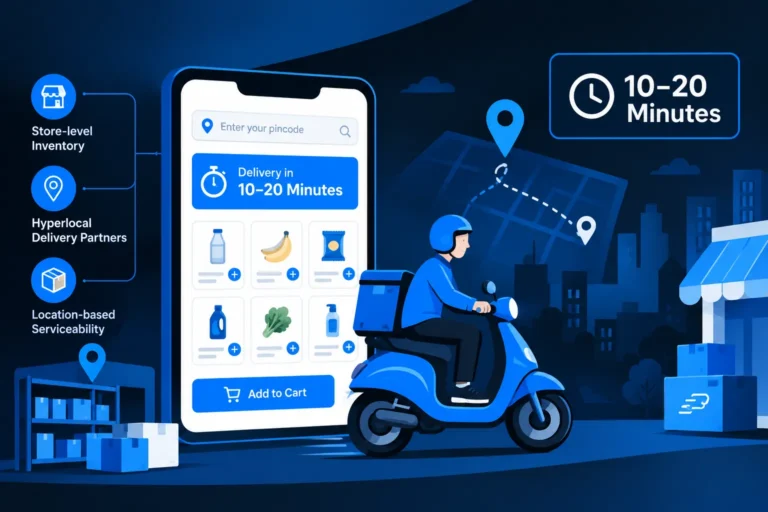
Read More → Quick commerce integration means connecting your online store to the systems that make 10-minute delivery possible: store-level inventory, hyperlocal delivery partners, and location-based serviceability checks. It changes ecommerce website development because the website stops being a catalogue with a checkout and becomes a live layer sitting on top of stock, riders and time. A store that promises “delivery in 10–20 minutes” while showing stale inventory will lose customers faster than one that never made the promise.
Quick Commerce Integration is changing ecommerce website development by connecting online stores with real-time inventory, hyperlocal delivery partners and location-based serviceability. It helps businesses offer faster delivery, improve order management and provide a better shopping experience.’t.
Most confusion starts here, so it’s worth separating them.
If your budget or team is small, be honest about which one you’re actually after. The first is an operations task. The second is a development project.
The first thing a fast-delivery store asks is “where are you?” Pincode or map-pin entry has to come before product browsing, because availability, price and delivery time can all depend on the answer. Technically, this means your catalogue is no longer one global list. It’s a set of listings filtered by which fulfilment location can serve that customer.
Common mistake: bolting a pincode box onto the checkout page. The customer finds out at the last step that the item can’t be delivered fast, and leaves.
A normal ecommerce database holds one stock number per product. With dark store integration, you hold one number per product per location. That sounds like a small change but it touches everything: product pages, cart validation, order routing, reports and admin screens.
Your order logic also needs a rule for which location fulfils an order. Nearest location with stock is the usual starting point. Then you decide what happens when an order contains items from two locations, whether you split it, block it, or route to a single location that has everything.
Real-time inventory sync is where most quick commerce builds either work or quietly fail. Dark store stock moves in minutes, so a nightly CSV import won’t hold up.
Most brands don’t run their own riders. They plug into a hyperlocal delivery aggregator through delivery partner APIs. A typical integration covers:
Build these calls to be safe to retry. Webhooks arrive late, twice, or out of order, and your order status shouldn’t jump backwards because of it. Store the partner’s task ID against every order and log each status change, since you’ll need that trail the first time a customer says their parcel never arrived.
Customers of fast delivery expect to see progress. Your order page needs to show packed, rider assigned, on the way and delivered, fed by those webhooks. Keep the promised time honest. An ETA that’s regularly missed does more harm than a longer, accurate one.
For most brands outside grocery, a hybrid ecommerce model is the sensible design. A small, fast-moving set of products gets the instant-delivery option. The long tail of your catalogue ships the standard way through courier partners.
This works because dark-store stock is expensive to hold and instant delivery costs more per order. Putting every SKU on a 10-minute promise will hurt margins. The website has to make the split clear without confusing people. On each product page, show which delivery options apply for the customer’s location, and let the cart handle mixed orders, for example one item arriving today and the rest in three days.
Mixed carts are worth designing early. They affect shipping charges, payment capture, returns and invoicing, and they’re painful to retrofit.
Performance requirements go up. Location-aware catalogues and live stock checks add database and API load. Caching needs to be smarter: product content can be cached hard, while stock and delivery estimates need short lifetimes or event-driven refresh.
Architecture leans toward modular. A monolithic template-based store can struggle when inventory, delivery and order routing all need their own logic. Many teams end up with a separate service or queue for inventory and delivery events rather than stuffing everything into plugins.
Testing becomes scenario-heavy. Beyond “does checkout work”, you test what happens when the last unit sells twice, when a rider cancels, when the partner API times out, and when the customer changes address after ordering.
Support tooling matters. Your team needs an admin view to see where an order is, override a failed assignment and issue a refund. Skipping this means fixing problems in the database by hand.
Fast delivery lifts customer expectations around communication too. People want order updates where they already are. A WhatsApp-based order flow pairs naturally with quick commerce for confirmations, rider updates and reorders. We cover that side in the next post in this series, WhatsApp Checkout for ecommerce websites, which looks at how to take orders and payments inside the chat.
It’s a good fit when your products are replenishable or urgent, your customers are concentrated in a few dense areas, you already hold stock near them, and your order volume can absorb the added delivery cost. It’s a poor fit for custom, made-to-order or low-frequency purchases, and for stores that don’t yet have reliable inventory data. Fast delivery on top of messy stock records just makes the mistakes more visible, faster.
If you’re unsure, start narrow: one city or a handful of pincodes, a limited set of SKUs, one delivery partner. Measure order volume, cancellation rate and delivery cost per order before widening. This is a much cheaper way to learn than a full rollout. For the wider picture of what a modern store needs, see our Ecommerce Website Development page.
It’s the technical work of connecting your online store to location-level inventory, delivery partner APIs and serviceability checks so you can promise very fast delivery, often within 10 to 30 minutes, from a nearby store or dark store.
Sometimes, but only in limited areas. You need stock held close to customers, a delivery partner covering that area and order volume high enough to justify the cost. Most small brands start with a few pincodes and a narrow product range.
Listing on those apps means supplying catalogue and stock to their platform and letting them handle the customer experience. Building it into your own site means you own the customer, the data and the checkout, but you also own the inventory, delivery and support work.
A dark store is a small fulfilment location not open to walk-in customers, set up for fast local picking and dispatch. Your website needs to know which one can serve each customer, and what stock each one holds, to show accurate availability and delivery times.
Because stock at a dark store changes constantly. If your site shows items that have already sold, orders get cancelled after payment, which costs money and trust. Event-driven updates and stock reservation at checkout prevent most of these cases.
It’s usually the interface a delivery or platform partner exposes so your system can check serviceability, create delivery tasks, track riders and receive status updates automatically. Exact features differ by provider, so check their documentation before designing your flow.
It depends. Shopify, WooCommerce and custom builds can all support parts of it, often through apps, plugins or custom code. Location-level inventory and multi-partner delivery logic are where off-the-shelf setups tend to need extra development.
It’s a setup where a limited range of products is available for instant delivery while the rest of your catalogue ships through standard courier services. It keeps margins healthier than offering fast delivery on everything.
It adds live lookups for stock, location and delivery estimates. With sensible caching, where product content is cached long and stock data is refreshed quickly, the site can stay fast. Without it, pages slow down during busy periods.
Pilot it. Pick one city or a few pincodes, a small set of high-demand products and one delivery partner. Track cancellations, delivery cost per order and repeat orders, then decide whether to expand.
If you’re weighing quick commerce integration for your online store and want a straight answer on what it would take, talk to Sanjeev Kumar Malik. Share your platform, your product range and the areas you want to serve, and we’ll map out what to build first and what to leave out.
📞 Call: 9718604362
🔗 Explore Ecommerce Website Development Services