Dark Mode Website Design: Is It Actually Worth Building for Your Audience?
Dark Mode Website Design: Is It Actually Worth Building for Your Audience? Dark mode is worth building when your visitors...
Read More → A good website security checklist comes down to twelve questions your developer should be able to answer in plain language: how the site is encrypted, who has access, how updates and backups work, what the hosting setup is, and what happens if something breaks. If the answers are vague, the site is probably less protected than you think.
You don’t need to read code to do this. You need to ask the right questions and notice when the answers get fuzzy. Most hacked business websites weren’t targeted personally. They ran an outdated plugin, reused a password, or had no working backup, and an automated bot found the gap.
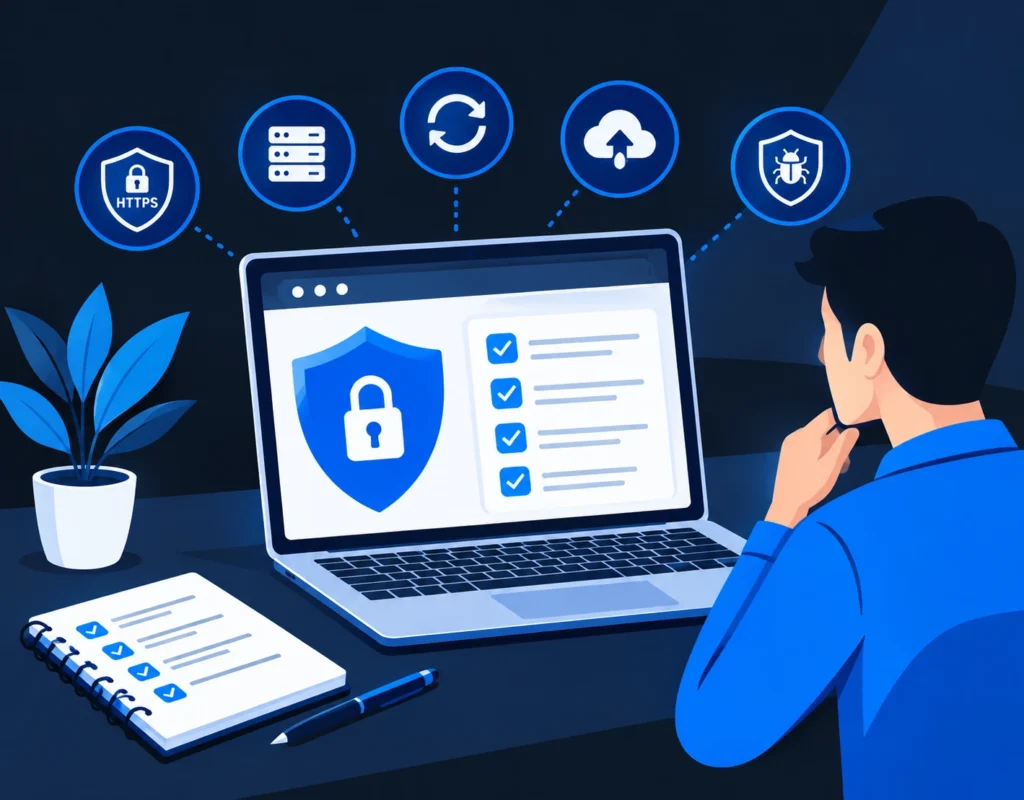
Security tends to fall between two chairs. The developer assumes the owner would say so if they wanted more protection. The owner assumes “it’s a professional site, so it must be secure.” Neither has actually checked.
The cost of a compromise also lands on you, not on the developer. That means blacklisted domains, spam pages in Google results, customer data exposure, and days of downtime. Ten minutes of questions now is much cheaper than that.
SSL and HTTPS is the baseline, not a bonus. Ask three specific things:
A padlock icon only tells you the connection is encrypted. It says nothing about whether the site itself is safe, so don’t stop at this question.
Secure hosting matters more than most owners realise, because a weak server undermines even well-written code. Ask:
Outdated software is the most common way sites get broken into. Ask who updates the CMS core, themes and plugins, how often, and whether updates are tested on a staging copy first. “We update when something breaks” is not a maintenance plan.
Plugin vulnerabilities are the biggest weak point on WordPress and similar platforms. A single abandoned plugin can expose the whole site. Good answers sound like this:
Ask for a list of everyone with login access to the site, hosting, and domain. Then check the basics:
Also confirm that the domain, hosting and site admin are registered in your name or company account, not only the developer’s. This is a business-continuity point as much as a security one.
Firewall protection usually means a web application firewall (WAF), a filter that blocks known attack patterns, bad bots and brute-force attempts before they reach your site. Ask whether one is active, whether it’s at the server, CDN or plugin level, and who reviews what it blocks.
Backups are only useful if they restore. Ask how often they run, where they’re stored (a backup sitting on the same server as the site can be wiped by the same attack), and how long they’re kept. The best question is: “When did you last test a restore?” A common rule of thumb is three copies, on two different types of storage, with one kept off-site.
Malware scanning should be routine, not something you start after a problem. Ask what scans run and how often, and whether you’d be alerted if files changed unexpectedly or the site got flagged by Google Safe Browsing. Uptime monitoring is a useful companion, since a site that suddenly goes down or redirects can be the first visible symptom.
If your site is custom-coded (React, Next.js, Node, Laravel and so on), it relies on dozens or hundreds of open-source packages, and each of those is a possible entry point. Supply chain attacks happen when a trusted package or script is compromised upstream and everyone who uses it inherits the problem.
Good answers here include:
This is one of the sharper differences between a carefully built site and a quick assembly job. It ties into the trade-offs covered in our comparison of no-code tools and custom development, where dependency vulnerabilities and platform dependence come up as real considerations on both sides.
Every form, search box and login field is a door. Ask whether input is validated and sanitised on the server (not only in the browser), and whether the site is protected against the standard attacks: SQL injection, cross-site scripting (XSS) and cross-site request forgery (CSRF). You don’t need the technical detail, only a confident “yes, and here’s how.”
Secrets like database passwords and API keys should sit in protected environment settings, never inside the code repository or a shared document. If the site collects personal data (enquiry forms, orders, accounts), ask where it’s stored, who can access it, and whether it’s encrypted. India’s Digital Personal Data Protection Act, 2023 places obligations on businesses that handle personal data, so it’s worth asking your developer how the site aligns with it.
Even good defences fail sometimes, so ask what the response looks like. Who gets notified? How fast can the site be taken offline, cleaned and restored? Is there a written process, or would it be improvised on the day? A developer who has thought this through will answer calmly and specifically.
You’re not grading technical vocabulary. You’re listening for specifics. “We use Cloudflare’s WAF, auto-renewing SSL, offsite daily backups and monthly restore tests” is a strong answer. “Don’t worry, it’s all handled” isn’t an answer at all.
If several responses come back vague, that’s a signal to ask for a proper security review, not a reason to panic. Most gaps are fixable once someone is looking at them. If you’re weighing a build or rebuild, our Website Development Services page explains how security fits into the wider development process.
At minimum: HTTPS with auto-renewing SSL, regular updates, vetted plugins, two-factor authentication on admin accounts, a firewall, tested off-site backups, malware scanning, and a documented plan for incidents.
No. SSL encrypts data travelling between the visitor and your server, but it doesn’t protect against outdated plugins, weak passwords, malware or server vulnerabilities. It’s necessary, but only one layer.
Security patches should be applied as soon as they’re released and tested, typically within days rather than months. Routine updates for core, themes and plugins are often done weekly or monthly, depending on the setup.
Not inherently. WordPress itself is actively maintained, and most problems come from outdated or poorly chosen plugins and weak access control. Custom sites avoid plugin risk but bring their own, such as dependency vulnerabilities and coding errors. Either can be secure or insecure depending on how it’s built and maintained.
It’s an attack that compromises something your site trusts, such as an open-source package, a plugin update or a third-party script, so the malicious code arrives through a legitimate channel rather than through your own code.
Warning signs include unexpected redirects, unfamiliar admin users, spam pages appearing in Google results, browser or search-engine security warnings, and a sudden slowdown. Regular scanning catches problems before visitors see them.
It filters incoming traffic and blocks known malicious patterns, bad bots and repeated login attempts before they reach your site. It reduces risk but doesn’t replace updates and good access control.
Testing a restore at least a few times a year, and after any major change to the site or hosting, is a sensible habit. A backup that has never been restored is an assumption, not a safety net.
It’s shared. The developer or agency is responsible for how the site is built, hosted and maintained, and you’re responsible for asking, approving budget for maintenance, and controlling access and ownership of accounts. Put the responsibilities in writing.
Take the site offline or into maintenance mode if you can, change all admin, hosting and database passwords, and contact your developer or host straight away. Don’t overwrite anything before a clean backup and a copy of the infected files are secured, because those help find how the attacker got in.
I’ll run a quick, no-pressure security check on your current website and tell you plainly where it’s strong and where it needs attention. Start here: Website Development Services by Sanjeev Kumar Malik, or call 9718604362.